
Top 5 Content Designer Enhancements
By Steve McHargue, Solutions Architect at Aderant
The New Handshake Designer
The release of Handshake 3.9.5 includes an open preview of a new Content Designer that is available to all customers. The IE/Silverlight version of Content Designer will remain for backwards compatibility as customers make the transition. My prediction is that once you start using the new Designer, you’ll never look back.
As someone who lives and breathes the creation and maintenance of Handshake skins, I wanted to share what I consider to be the TOP 5 enhancements to this cornerstone Handshake technology.
#5 – What it Isn’t
One big improvement is what has been left behind: the requirement for Internet Explorer and Silverlight. Those technologies are gone, don’t need ‘em, don’t need to discuss ‘em. Designer is a “from the ground-up rewrite” which is supported in any “modern browser” – and by modern browser I mean any chromium-based browser – Chrome and the latest revision of Microsoft Edge.

Better layout, more intuitive property editing, code editor capabilities when needed for JavaScript, CSS, and HTML markup, and a tabbed interface for multiple skins and templates, are just a few of the improvements. This is like going through a wormhole of productivity.
Spoiler Alert: this is only the beginning of functionality being brought into this new “studio”. If you are excessively fond of the Handshake Relationship Toolkit we’ve all used for 20 years, you might want to spend some extra time with it over the next few. 😉
#4 – In-Skin Web Development
Vast improvements in creating and maintaining the web development artifacts you need to make your skin a real-world solution. Blocks of JavaScript and CSS in your skin are created as first-class citizens rather than chunks of embedded HTML. This means you get:
- Syntax highlighting based on the component you are editing
- Quick formatting tools to clean up your code, because if your braces don’t line up, what will your mother think?
- Syntax checking for JavaScript or CSS
- Full search and replace functionality
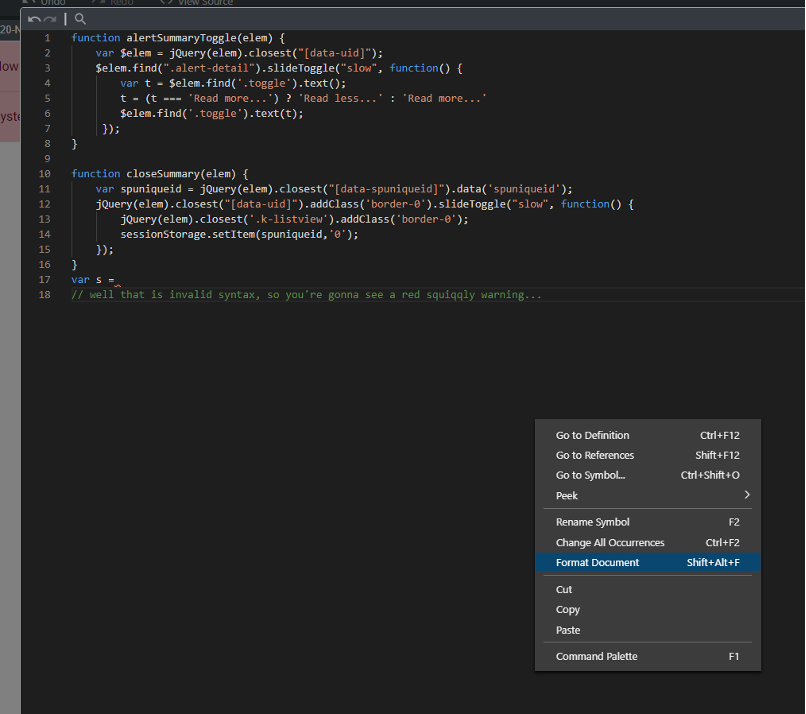
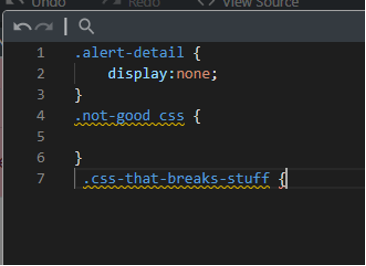
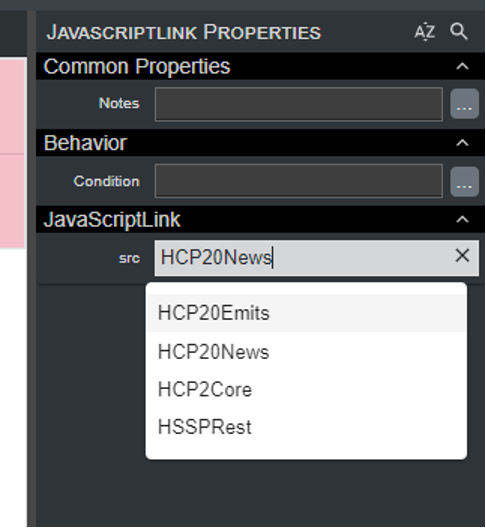
But wait, there’s more! In addition to these edit-in-place improvements that code slingers of all levels are going to love, adding a library of reusable JavaScript libraries has never been easier. You don’t need to remember the curly brace variable to reference the place where you loaded the script for that.
Just create your library of award-winning JS code in your Script on Demand folder and select it from the drop-down.
#3 – Templates
If you haven’t realized the power of reusable Kendo templates to supercharge your environment, then you just haven’t heard Rachmaninov the way it’s meant to be played. Kendo templates allow you to provide fully reusable components to present everything – from research links to user profile cards – in a consistent and, more importantly, maintainable fashion.
The new Template file type in the Designer provides better separation between what Kendo templates are meant to do, and what skins are meant to do.
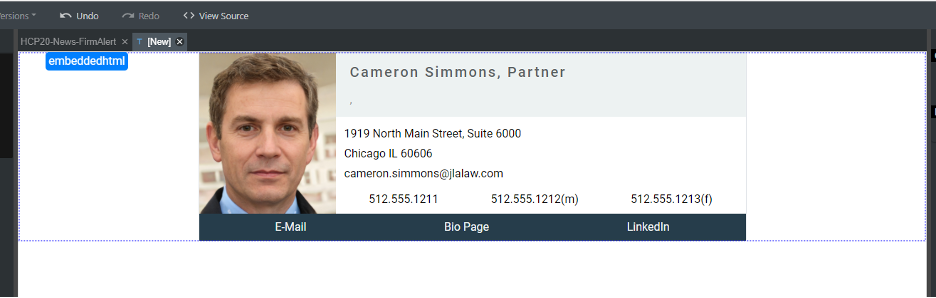
And composing and getting the presentation of data pixel-perfect has never been easier since we’ve added to the ability to model, in the template itself, the data needed to test the presentation.
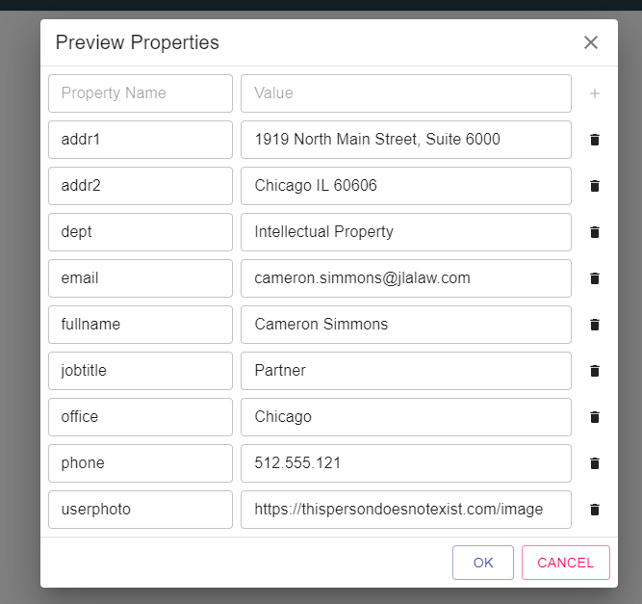
The template below was prototyped before I even created the Handshake Class to support the actual data, by adding the preview properties shown below. This means someone who understands HTML and CSS, but has zero knowledge of Handshake Classes, Kendo Controls, SQL, etc. could use Designer to construct these components.
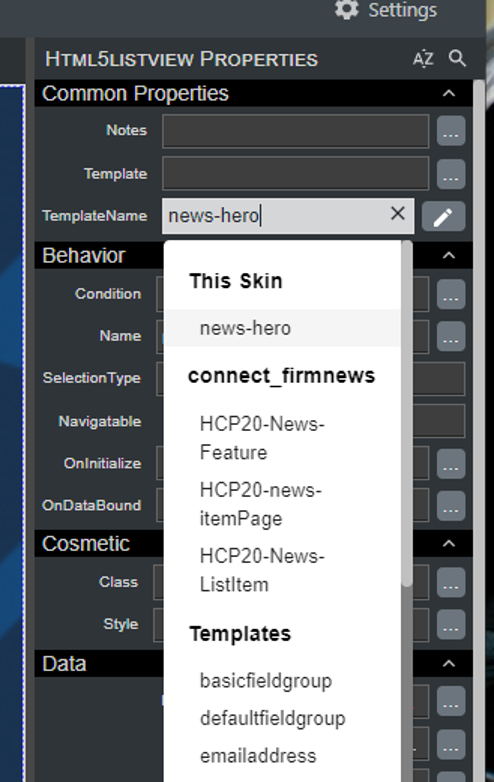
And finally, template files can now be associated with one or more specific Handshake Classes. This means when you have a component in your skin that will use a Kendo template, the selector will determine the class you are using and float the more appropriate choices to the top, as well as any templates you have defined locally in that skin.
Now, when I’m authoring a new News skin, and I connect my HTML5ListView to the Connect_FirmNews HS Class, I’ll see this dropdown in my choices for selecting a defined Kendo template.
#2 – Skin Categories / Boiler Plates
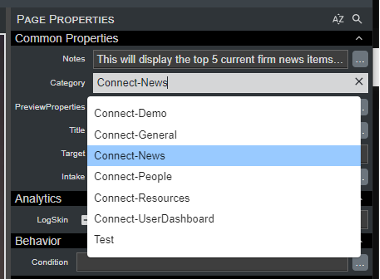
Okay, I said TOP 5 enhancements, but the #2 spot is a tie. With the new Categories property, skins are easier than ever to organize, find and maintain. The category value because a drop-down selector, so you no longer need to remember if you use camelCase or dashes in your category names:
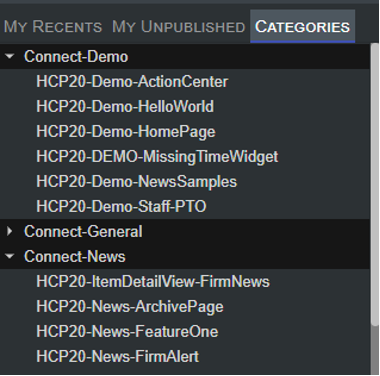
And you may browse skins by category to open them:
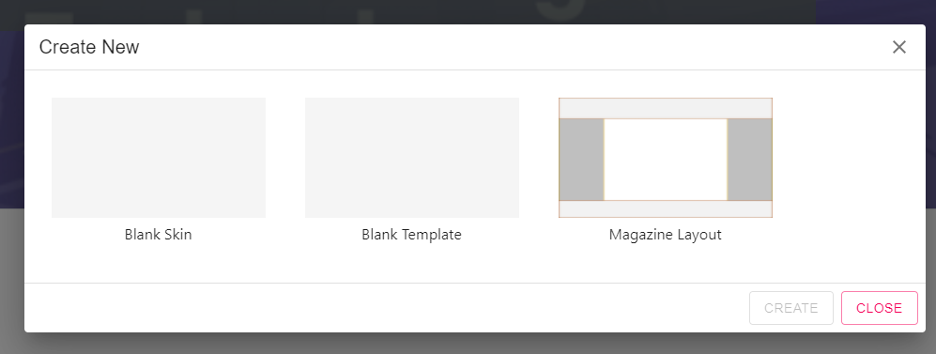
With Boilerplates you can define your own shell to begin a new skin. Include the base HTML markup, widgets, whatever you need, to allow you to create the same basic skin consistently in your environment. Below, the “Magazine Layout” is a custom boilerplate in the demo environment that allows someone to create a skin with the divs and CSS classnames required to produce a web page layout as shown in the thumbnail.
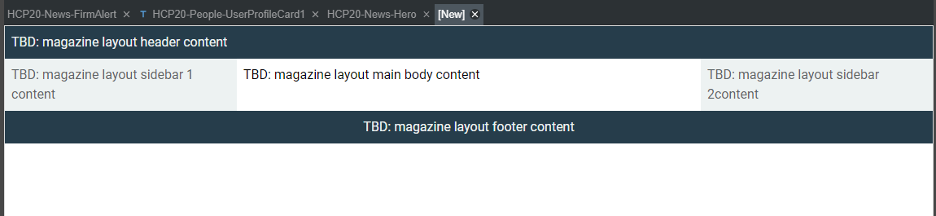
And on creation, our skin looks like this – all that remains is to populate the placeholders with the dynamic content I want for my new skin.
#1 – Drafts and Versioning
With the new Drafts feature, a skin author can open a skin, make changes, and review how those changes look on the SharePoint page, even in production systems, without affecting anyone else. Only the person working on the skin will see the changes made until the author decides to publish those changes. This will include nested skins as well. And in an environment where multiple people may be working in skins, you will get a notification when you open a skin if someone else has it in draft mode.
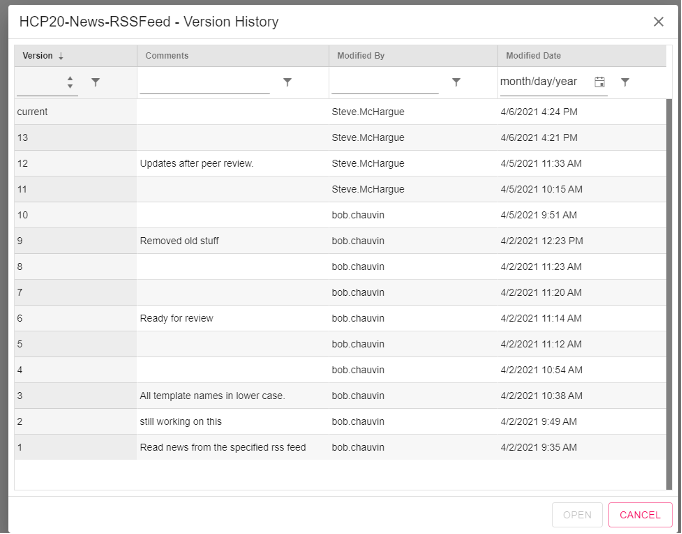
With versioning, gone are the days of making manual file copies of skins as a safety net before beginning your work. We’ve all done it – backed ourselves into a corner and needed to bail out. Now, just right-click on the skin and promote the last working version you had before your morning epiphany turned into a dead-end.
Summary
Those are just my TOP 5. But the improvements and enhancements to usability and productivity are numerous. Honorable mentions for:
- A 99.999% accurate rendering of how your skin will look in the preview panel.
- Ability to adjust the preview panel to a screen resolution to test responsive designs, including selecting common frameworks by names like iPhone X or Galaxy Fold.
- Designer remembers your exact state, including any “unsaved” drafts and open skins. (Note, there are never unsaved drafts, the file is updated every time you edit a property in the skin)
- Defining preview properties that stay with the Skin, not the author.
- Ability to add more native HTML elements to skin, rather than injected as embedded HTML blocks.
I’m probably leaving some out, but the music is playing me off.
Enjoy this preview!